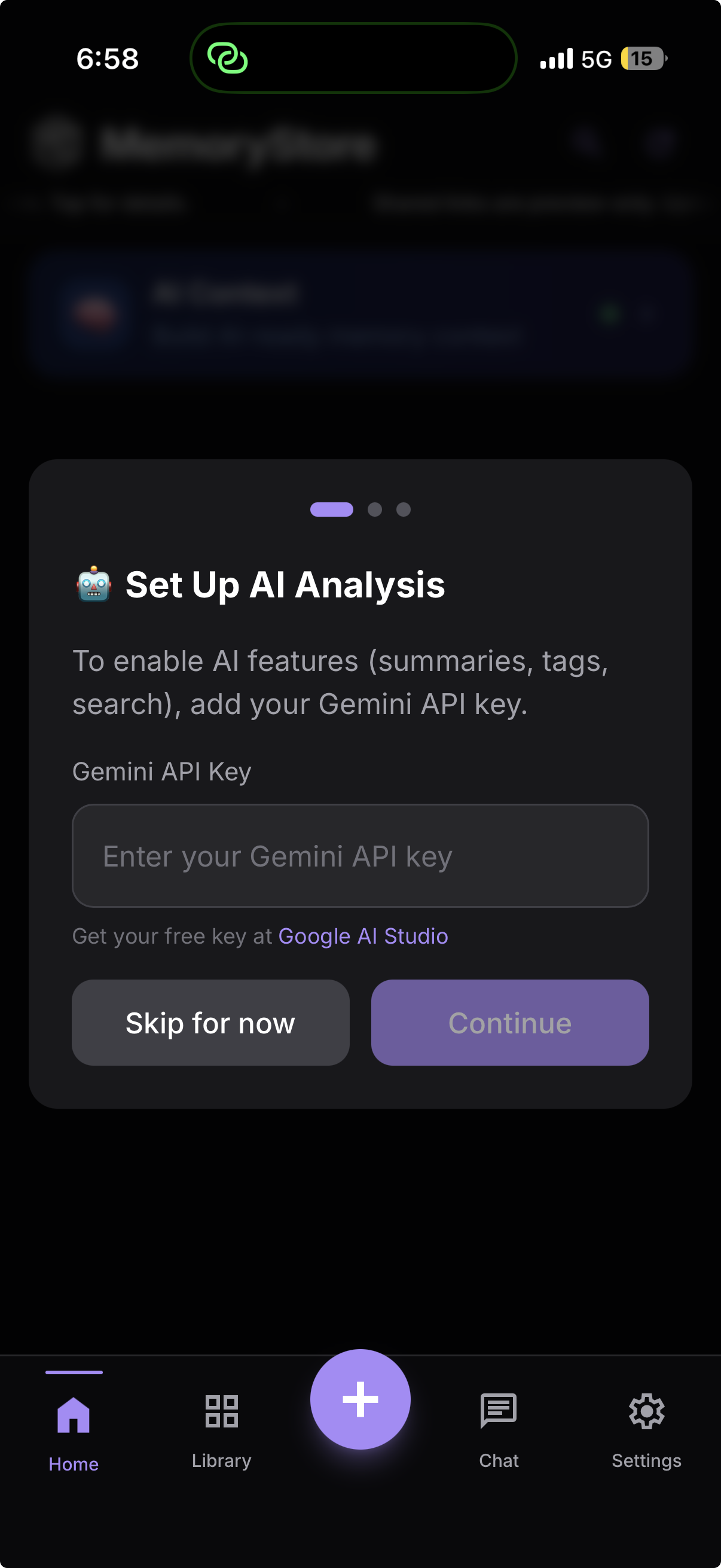
Can you see this?
Check if this screen is visible in your settings.
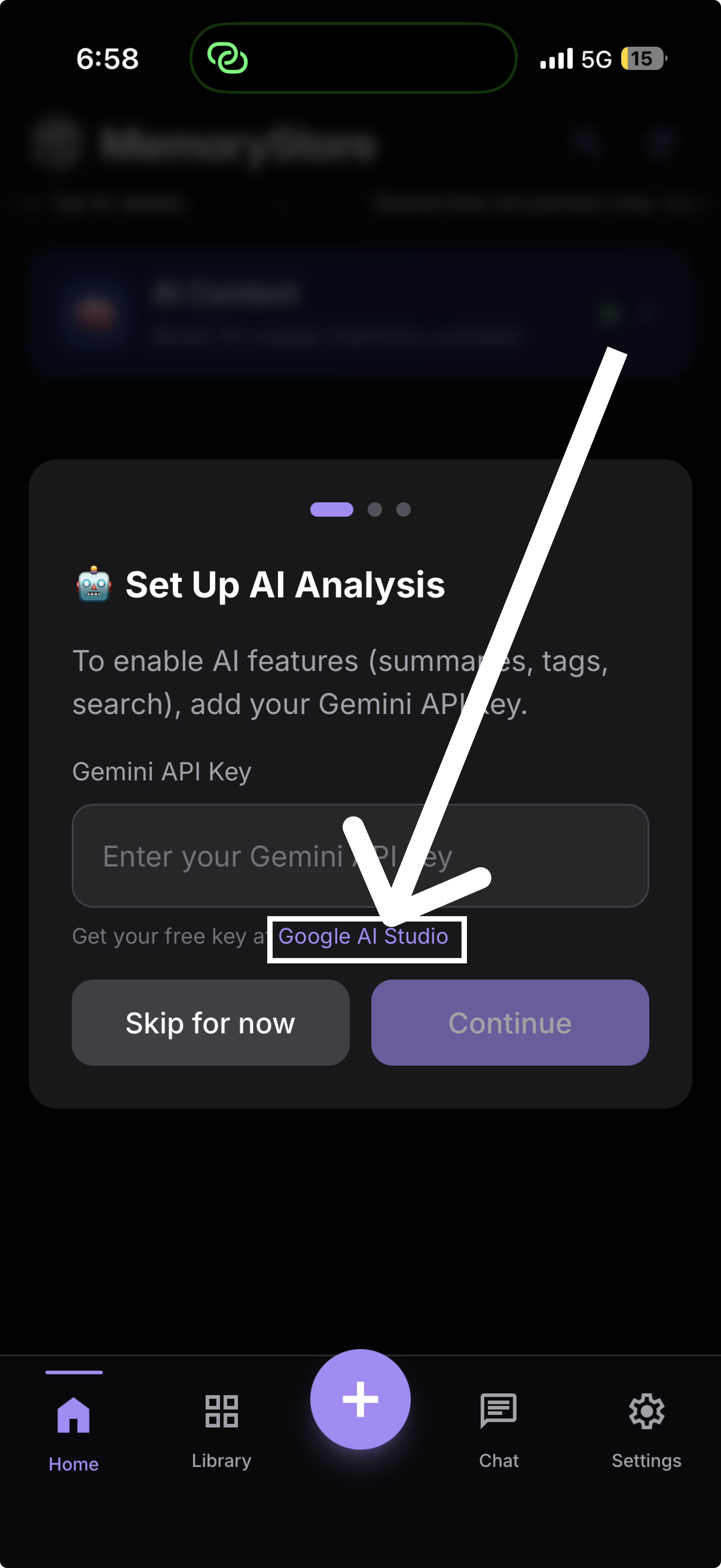
Step
1
Google AI Studio
Click on the "MemoryStore" link provided.
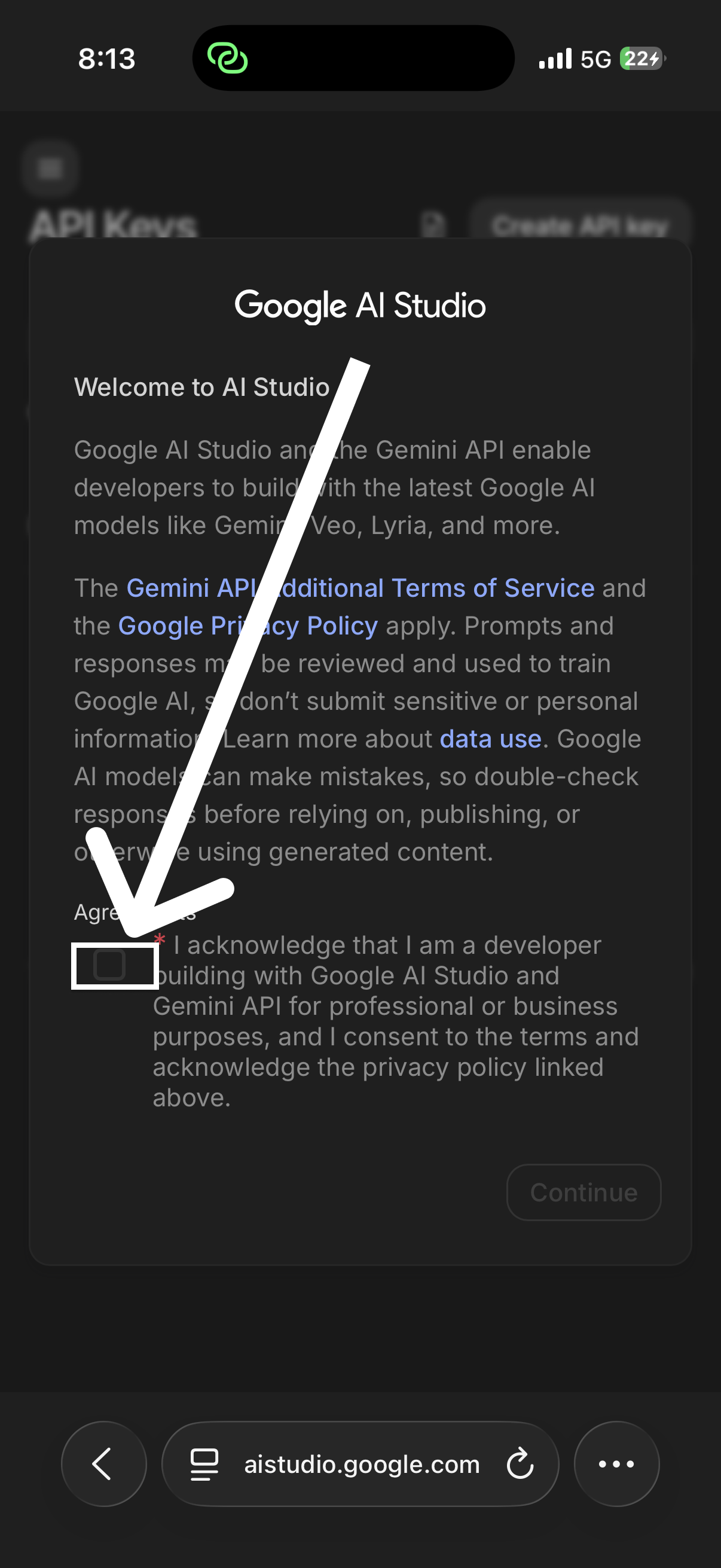
Step
2
Click on box
Tap the box highlighted in the screenshot.
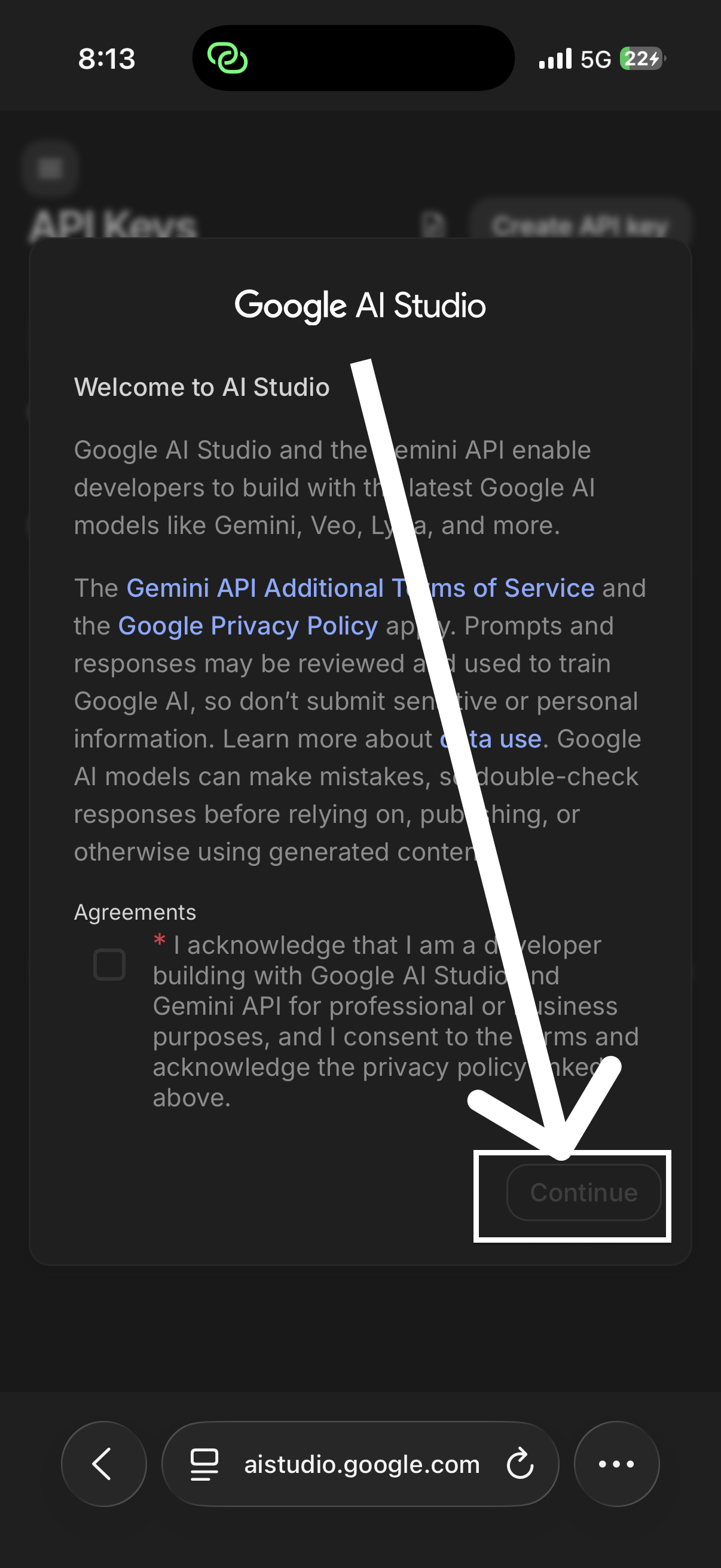
Step
3
Click Continue
Tap the continue button to proceed.
Step
4
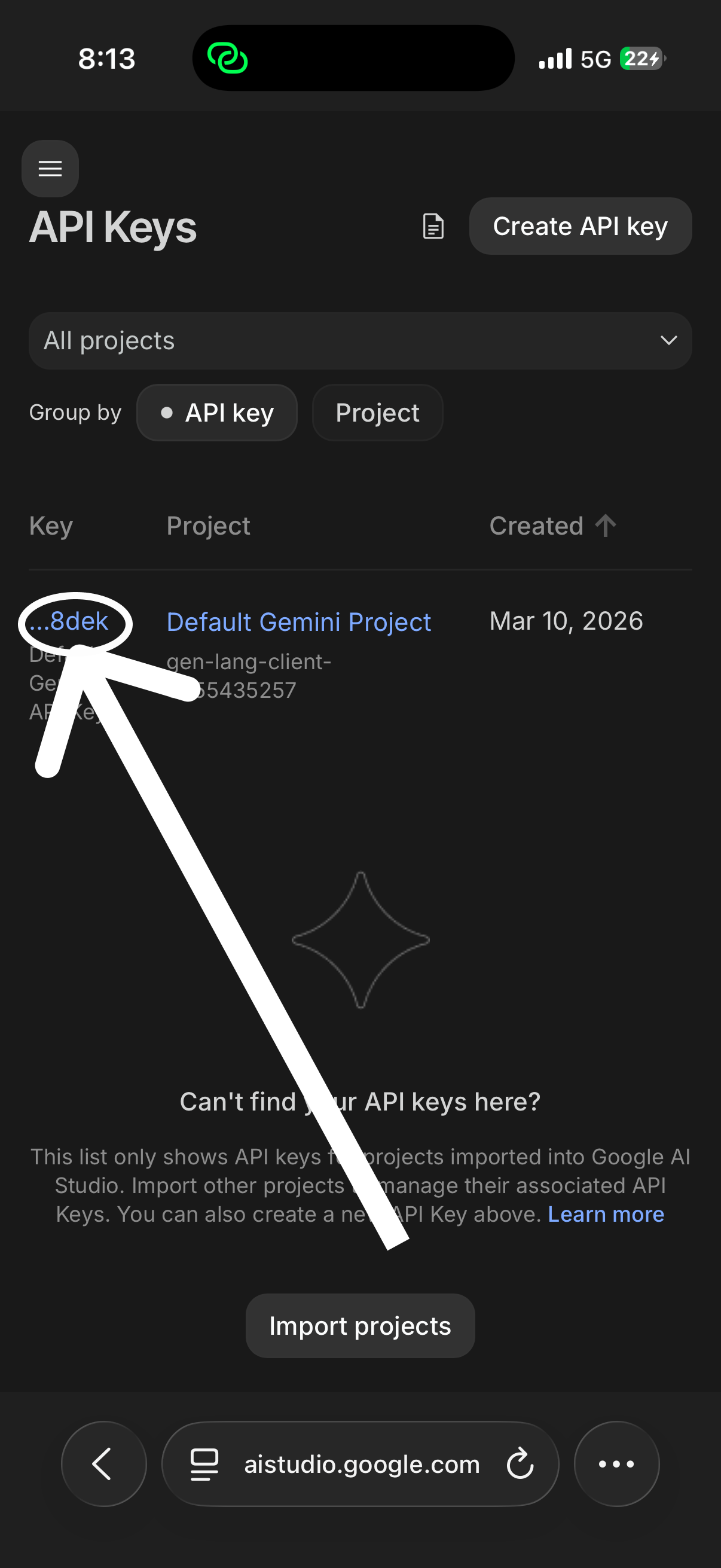
Select this portion
Highlight the API key as shown above.
Step
5
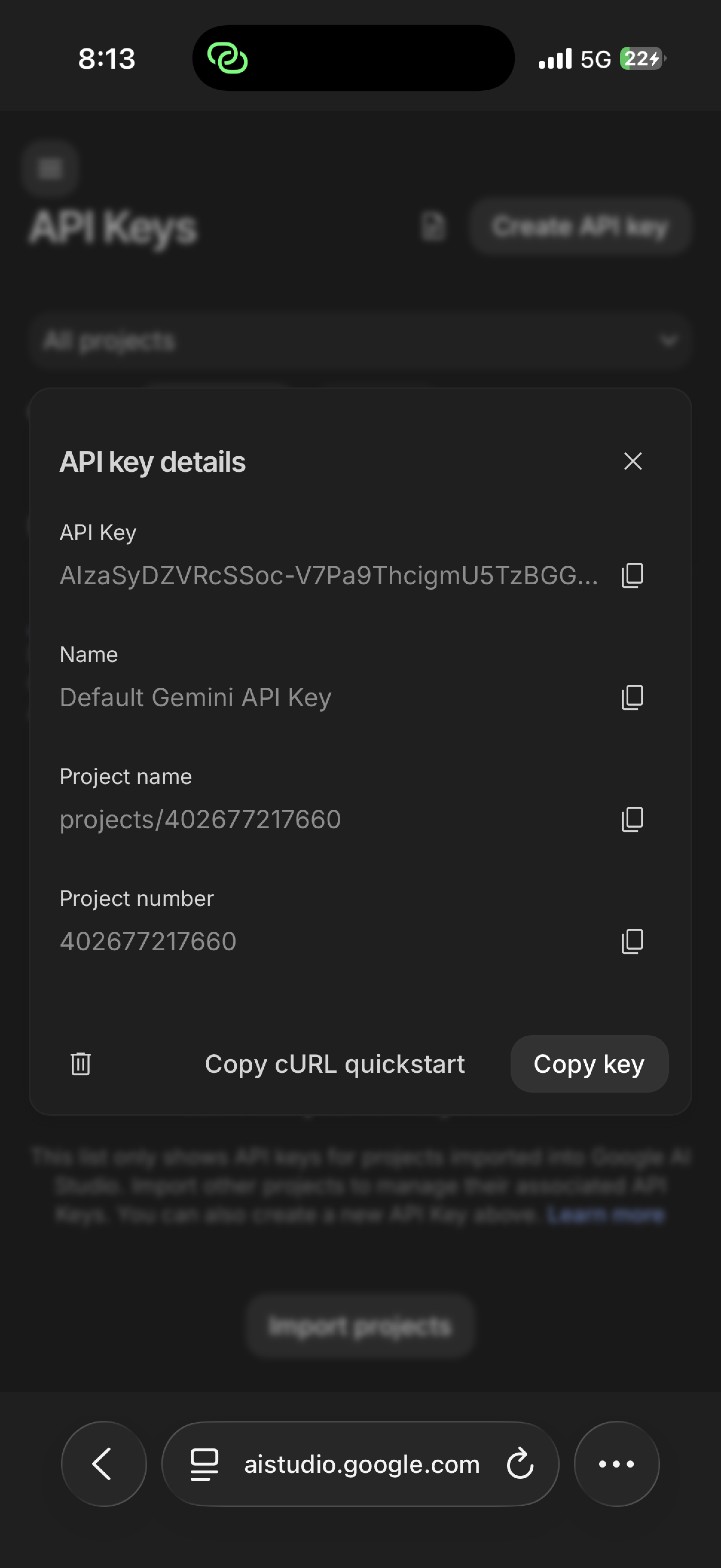
Copy Icon
Tap the copy icon to copy your key.
Step
6
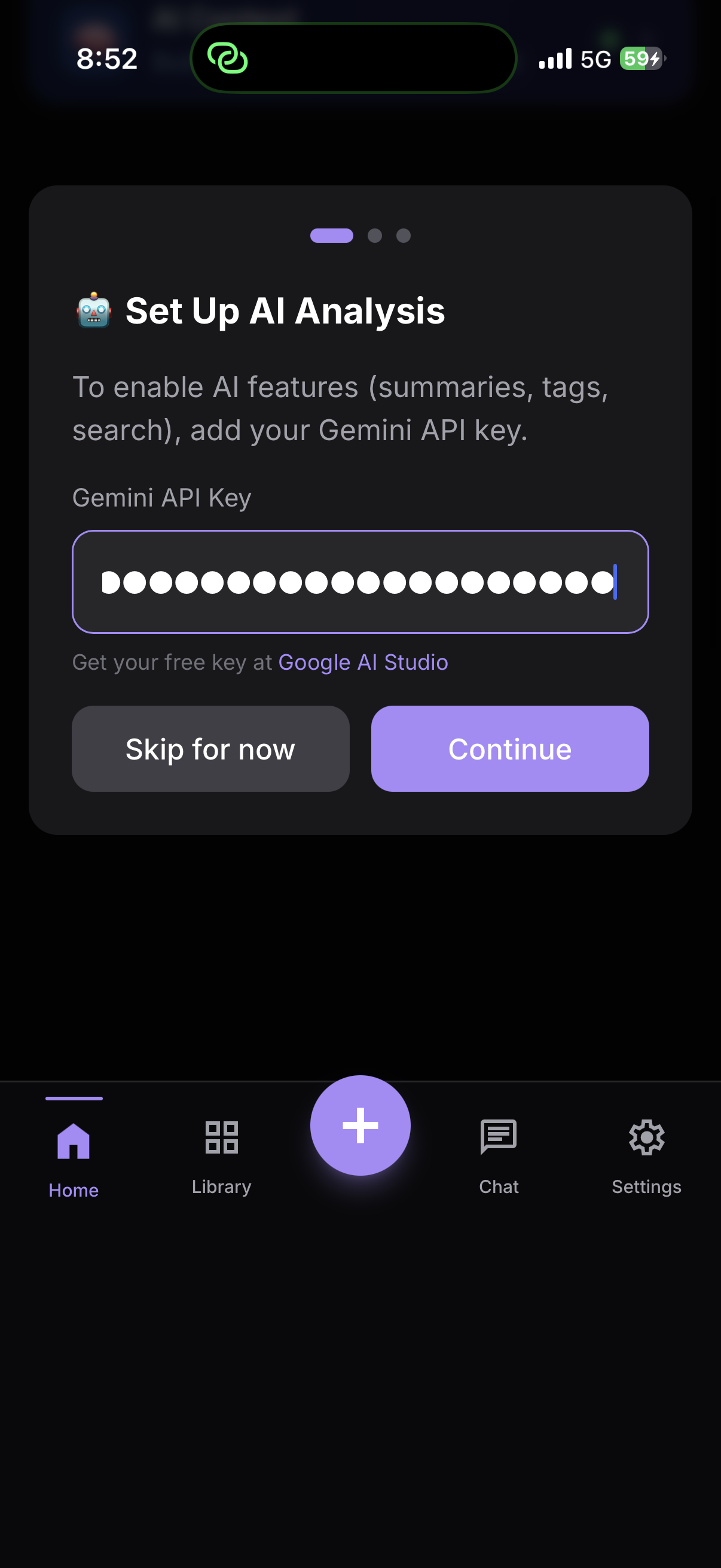
Paste the API key
Long press on the box and select "Paste".
Success!
AI Analysis is now active in your library.
You're ready
Finish and head back to your guides.
Setup
Guide
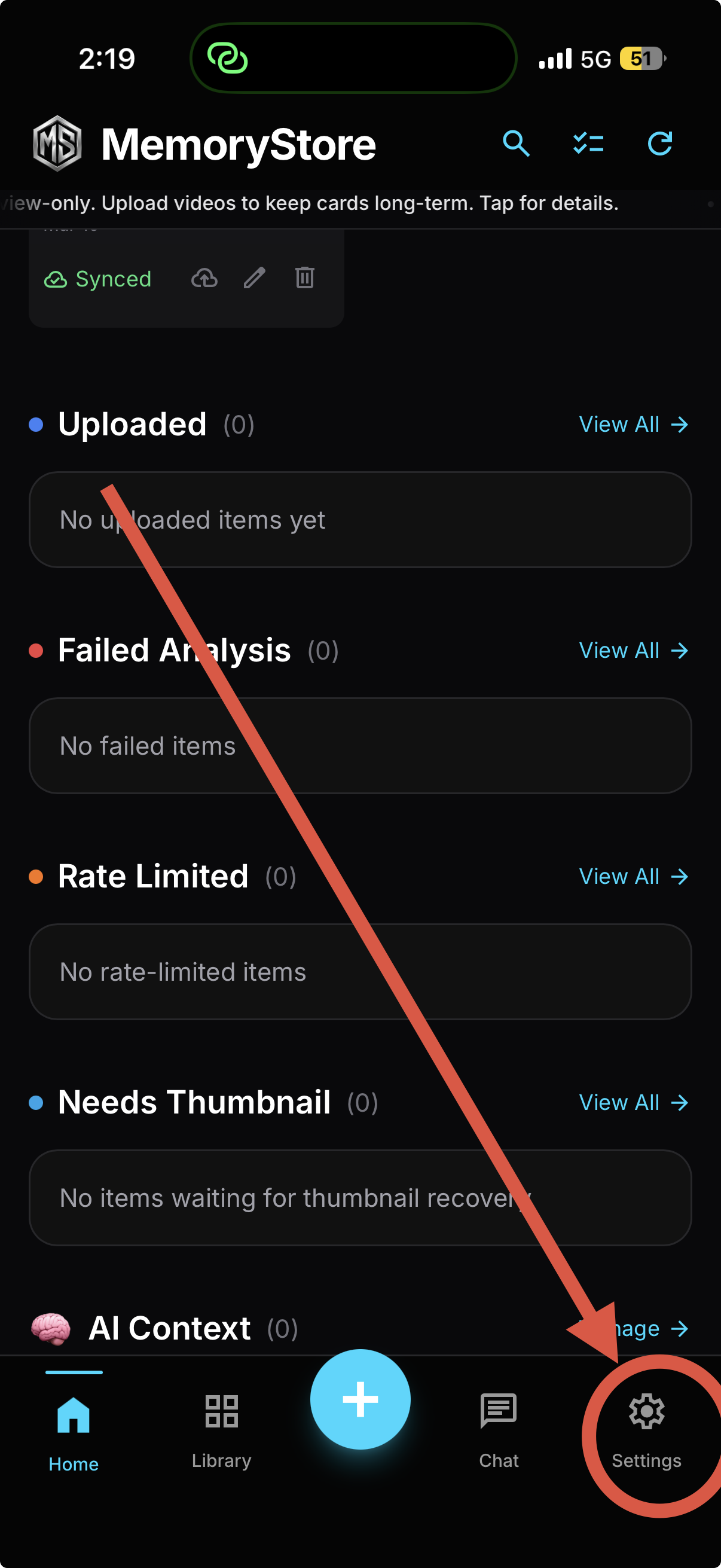
Open Settings
Click on the Settings icon highlighted above.
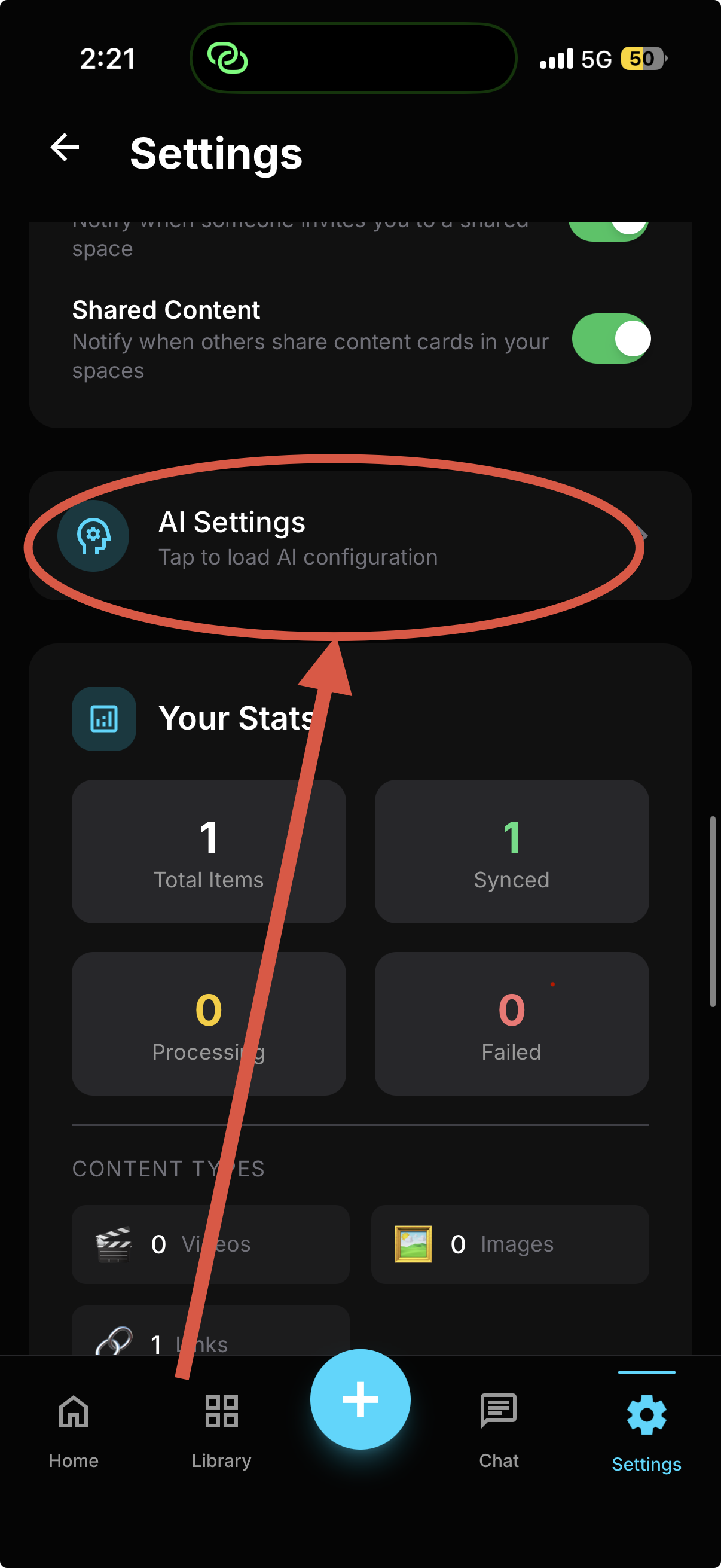
Locate AI Settings
Scroll down and tap on "AI Settings".
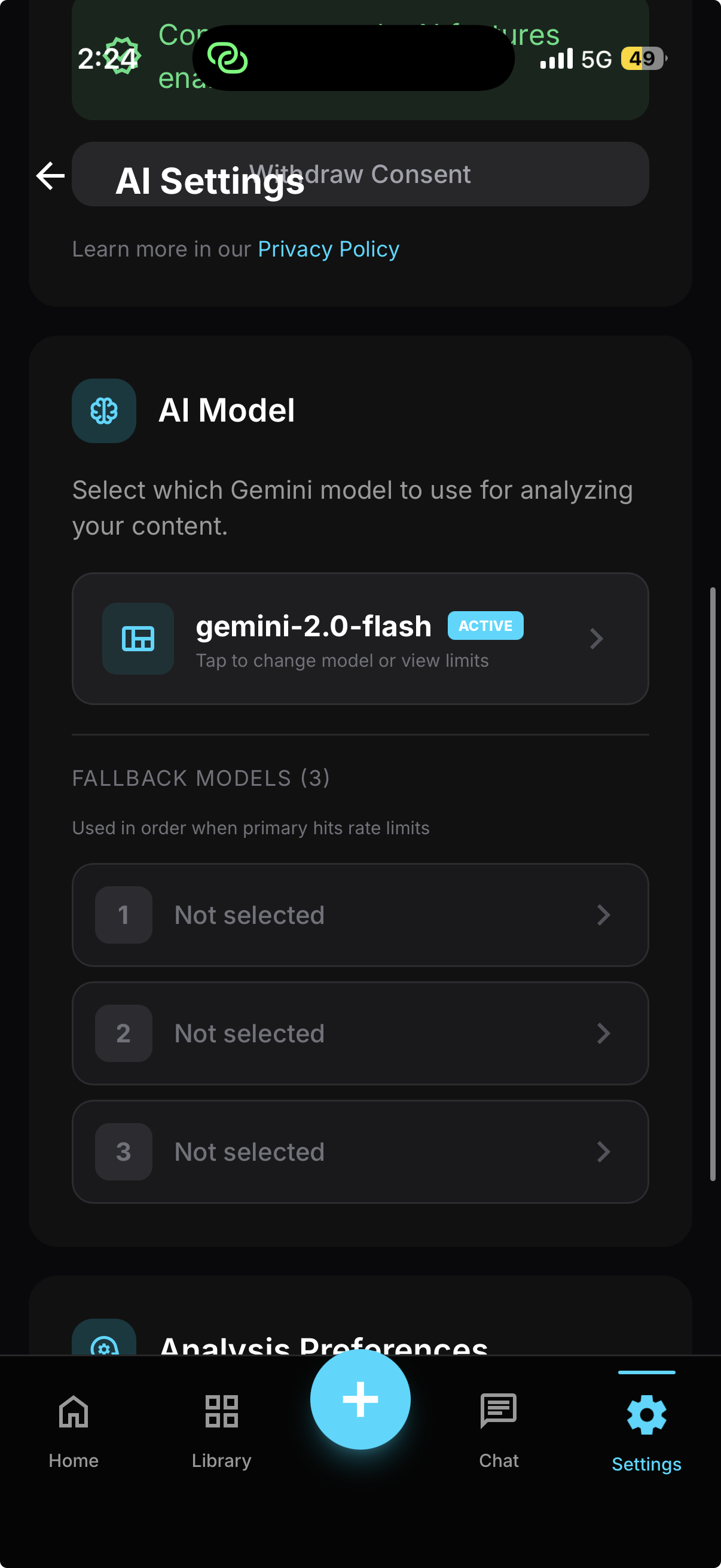
AI Model Selection
Scroll and select "AI Model".
Pick your Tier
Select Free for basic features, or purchase Pro models via AI Studio.
Now you're ready
Go back to get our custom AI for Pro features.