
Select your device
Instructions differ slightly for each OS.
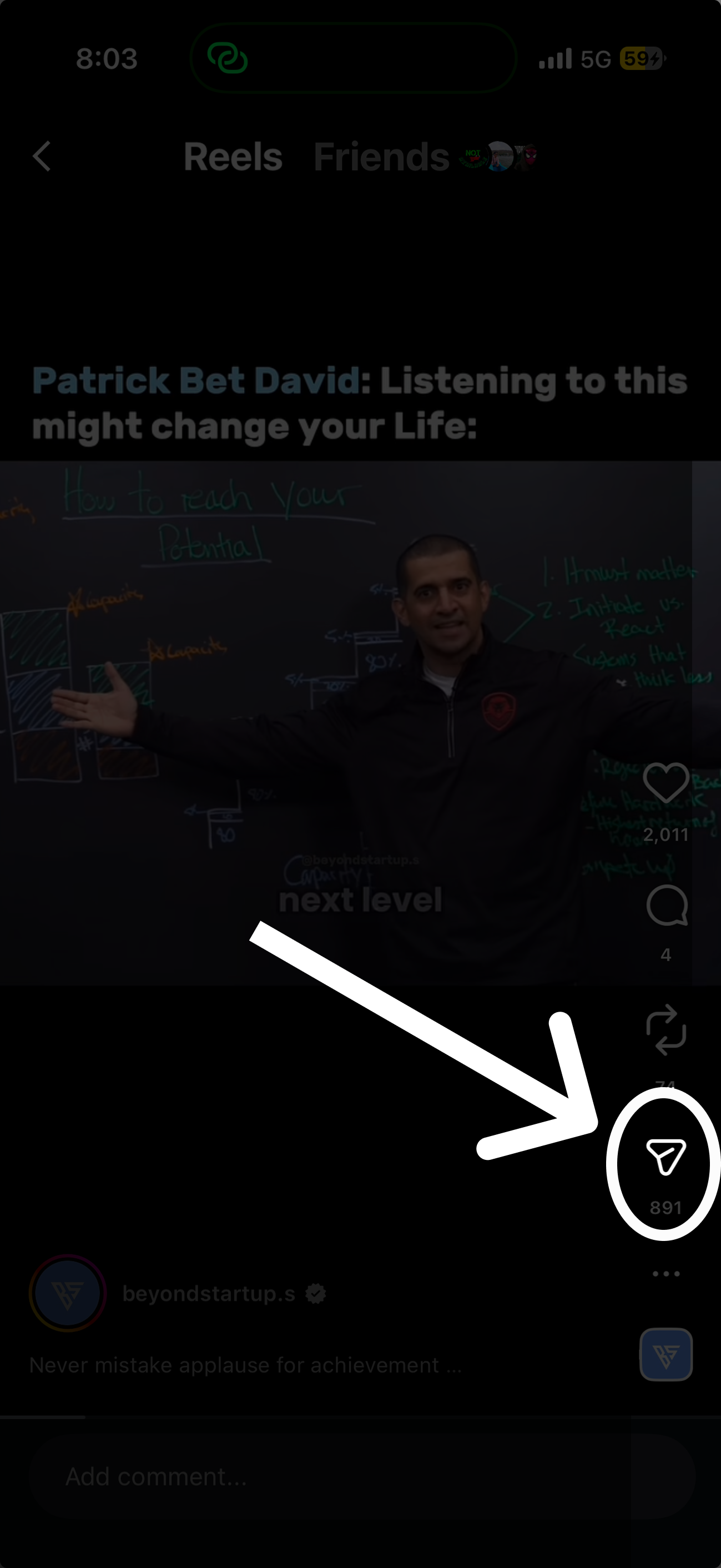

What are you saving?
Choose the format you want to save.
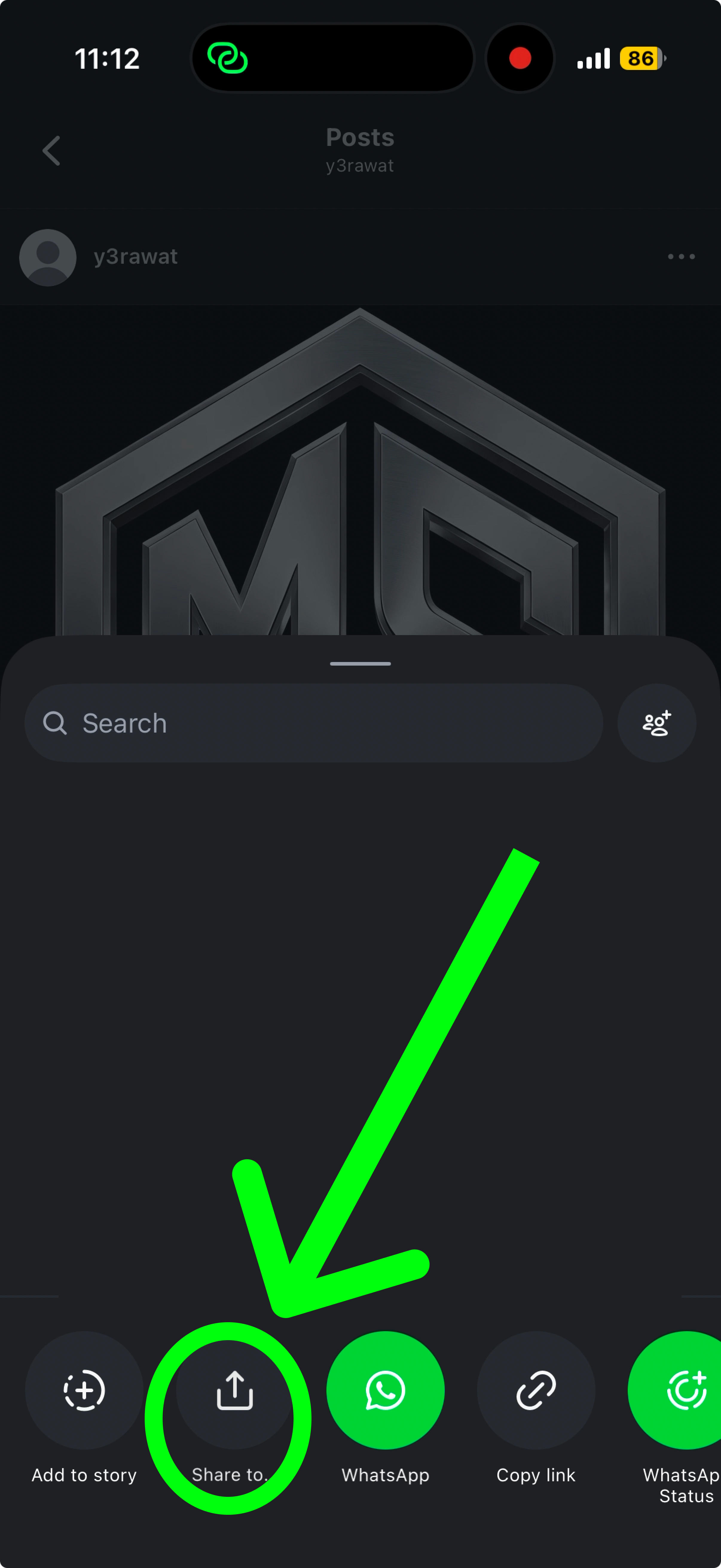
Click on "Share to..."
Usually found in the middle of the menu.
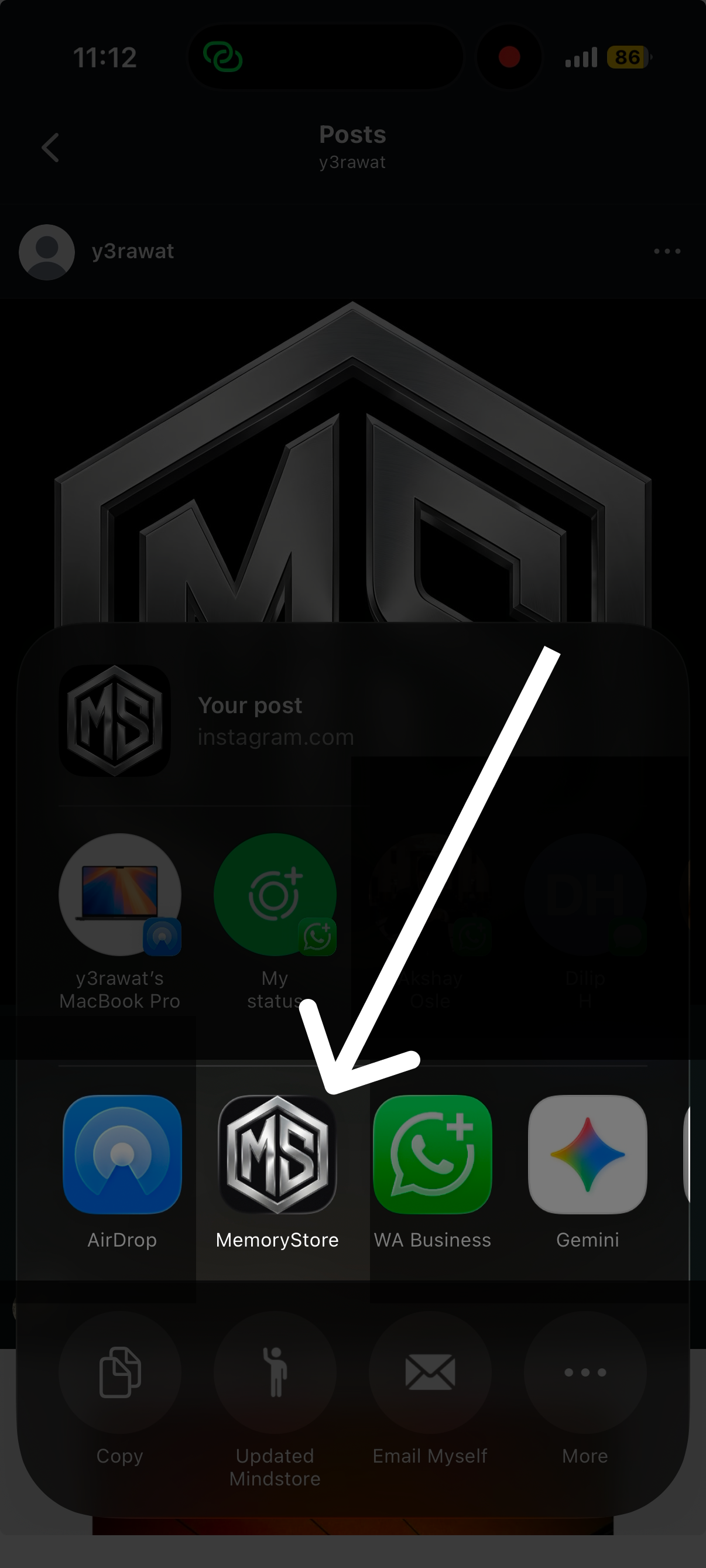
Is MemoryStore showing?
Look for the MemoryStore icon in the share sheet.
Click it
Tap on the MemoryStore icon to save your content.
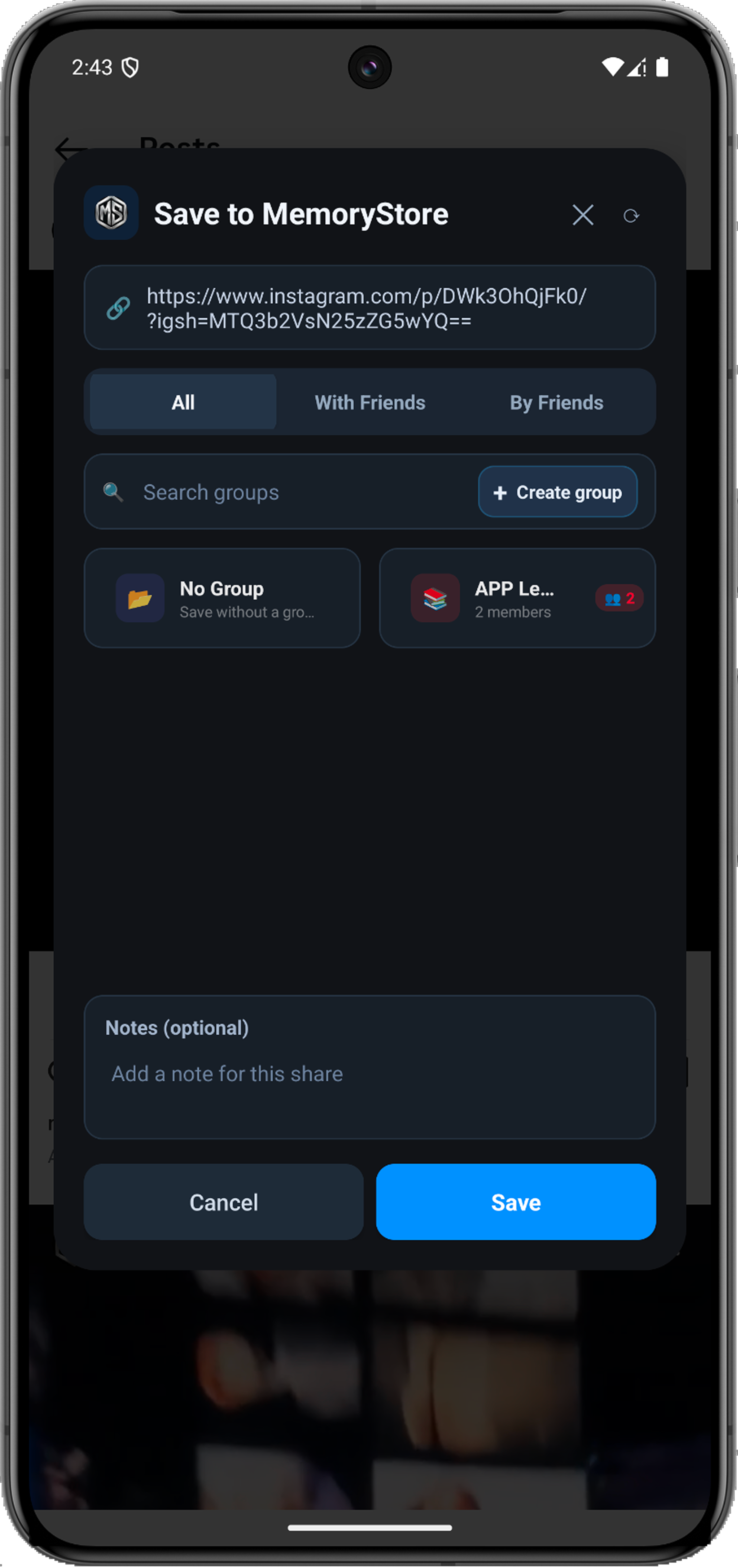
Finish Saving
• Create new group to stay organized.
• Or tap Save the post to finish instantly.
Saved!
Video is safely archived.
Instant Sync
Open the application to check your saved video.
Watch to Add
Follow the video closely to enable MemoryStore.
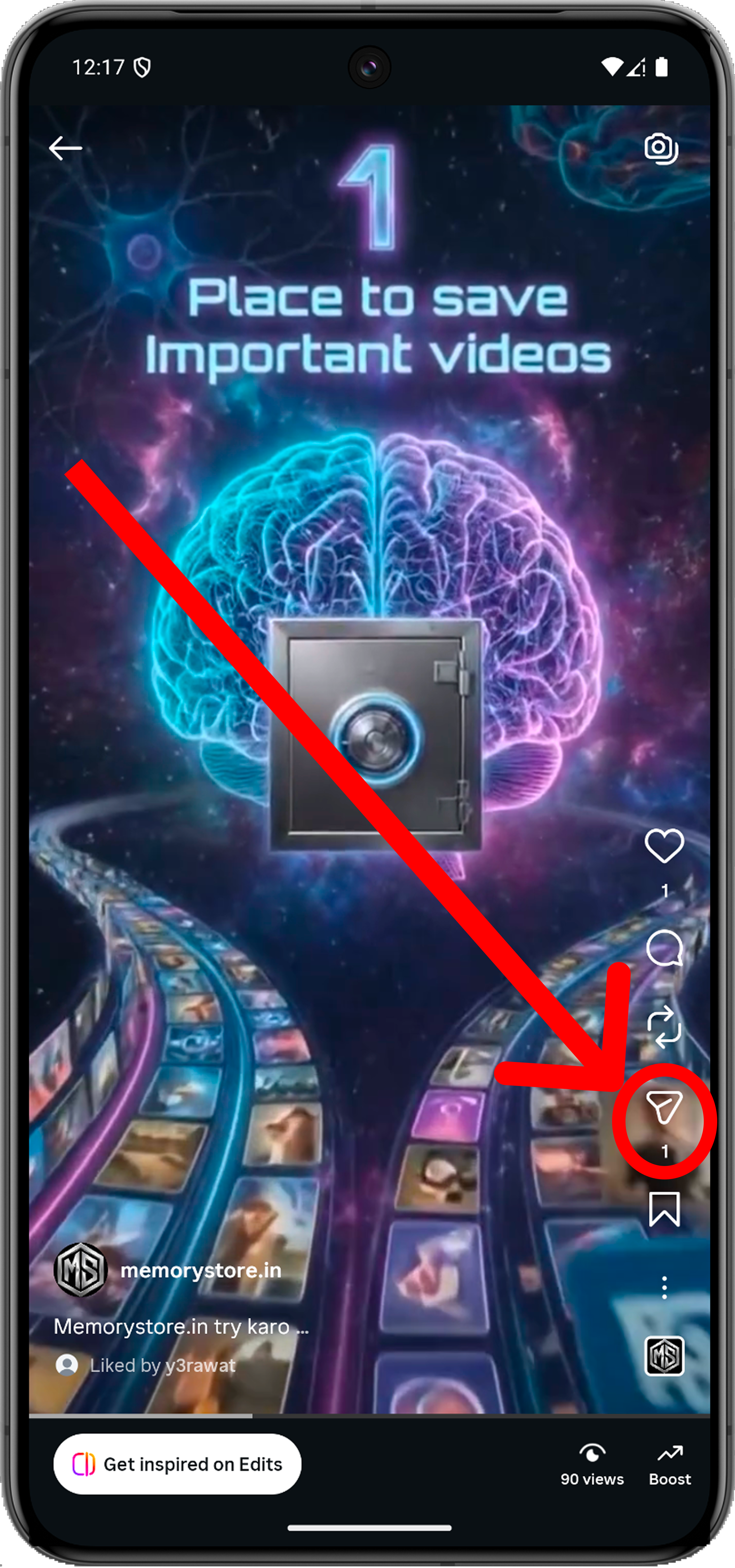
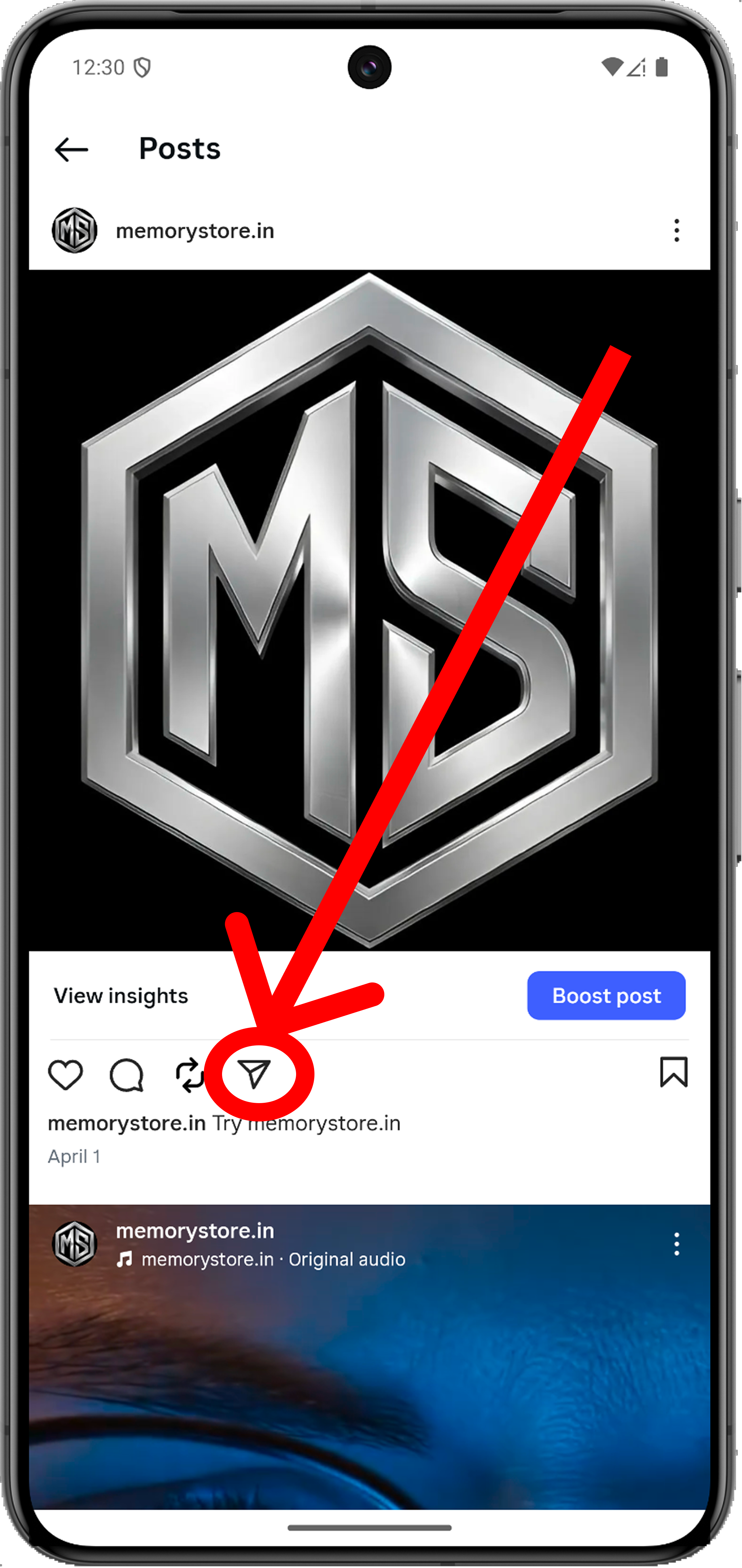
What are you saving?
Choose the format you want to save.
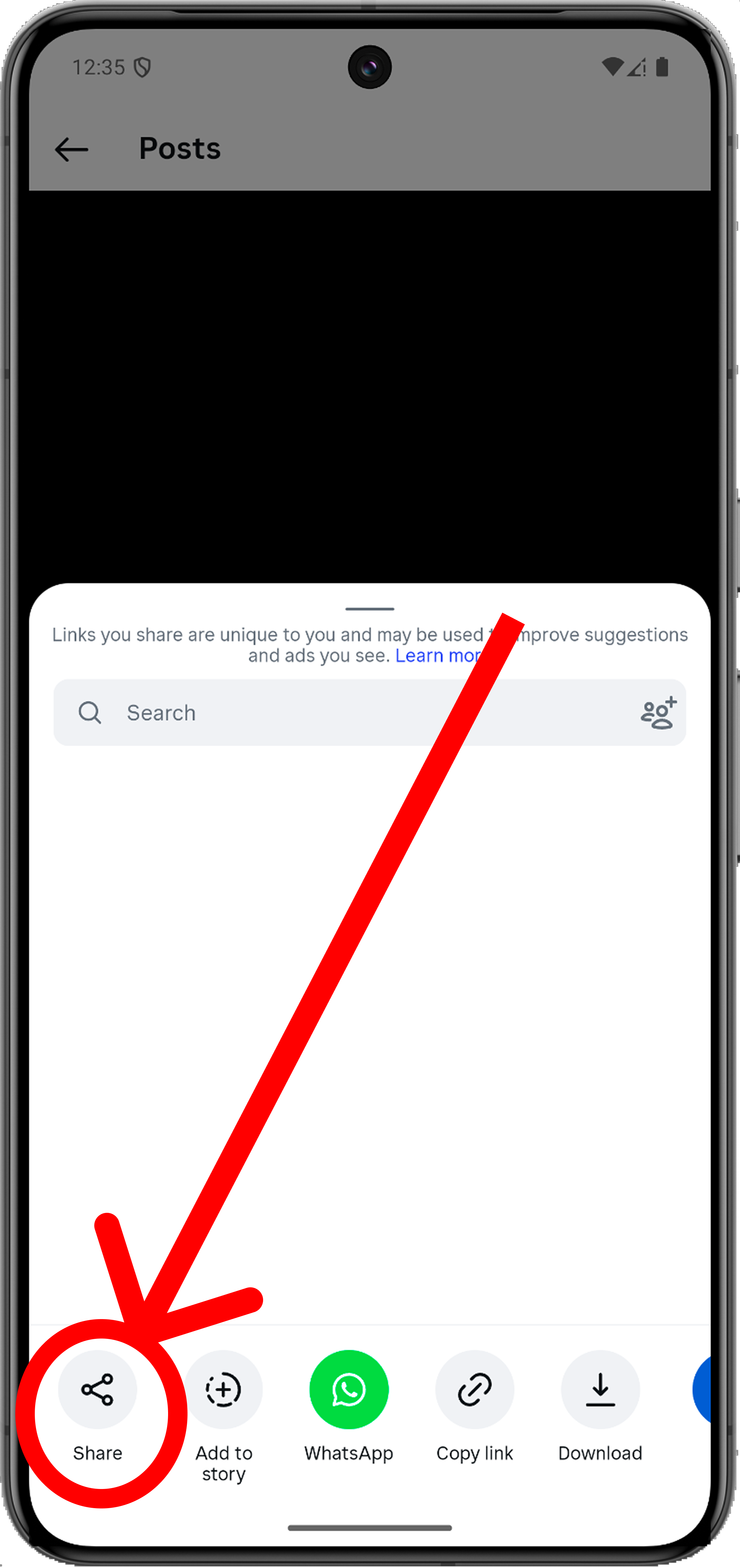
Tap the Share icon
Look for the share button on the side or bottom.
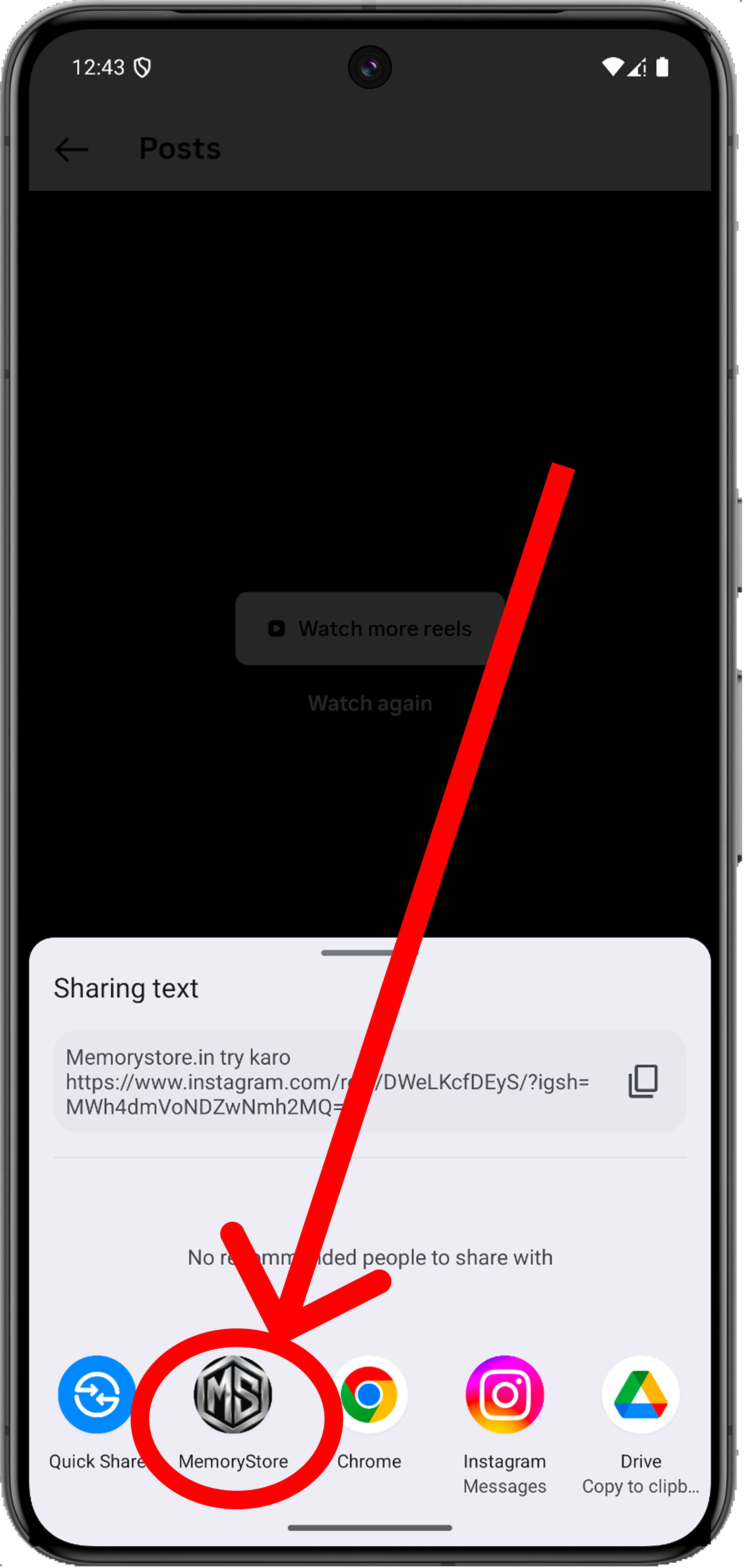
Is MemoryStore showing?
Look for the MemoryStore icon in your app list.
Tap MemoryStore
Select it to save your content immediately.
Finish Saving
• Create new group to stay organized.
• Or tap Save the post to finish instantly.
Saved!
Video is safely archived.
Instant Sync
Open the application to check your saved video.
How to find us
• Swipe through your app list from left to right.
• If you see three dots (More), click there.
• You will find MemoryStore in that extended menu!